 Icons byFox
The developer’s field guide
iOS app icon sizes: from PNG to AppIcon.appiconset
Understand the sizes in the iOS export, import Contents.json into Xcode and choose between asset catalogs and Icon Composer.
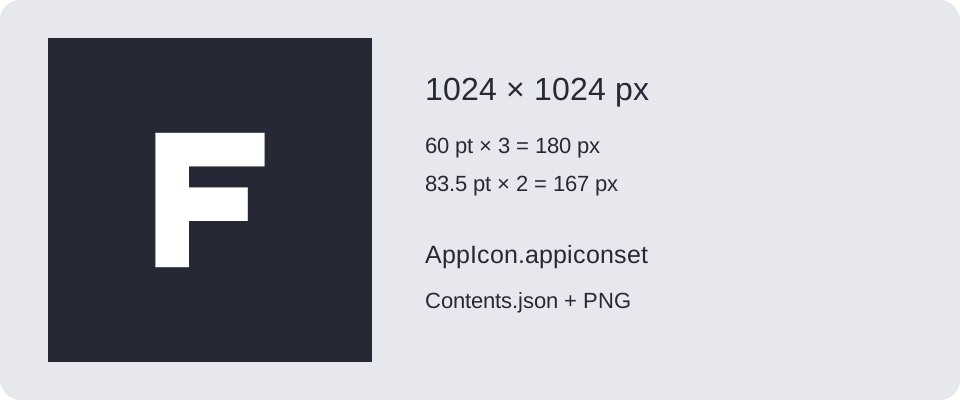
A folder full of PNGs is only part of an iOS app icon. Xcode also needs to know which image belongs to which role and scale. The iOS export from Fox’s Icon Generator supplies an asset catalog with that mapping in Contents.json.
Choose your Xcode workflow
Apple documents both asset catalogs and Icon Composer. Icon Composer builds layered icons with system-rendered appearances. The export from Fox’s Icon Generator is a conventional PNG-based AppIcon.appiconset; it does not produce a layered .icon file or Liquid Glass materials. Use Apple’s tool when your project needs that workflow.
Start with a square source. For the conventional export, use an opaque background and let the system apply the outer mask. The downloadable example is an original 1024 × 1024 SVG with an opaque background, ready to import as a test image. It is not an Apple template.
What the iOS ZIP contains
The table below describes the slots generated by Fox’s Icon Generator. Point sizes and scales are recorded separately in the catalog; pixel size equals points multiplied by scale.
| Target | Point sizes | Scale |
|---|---|---|
| iPhone | 20, 29, 40, 60 | 2×, 3× |
| iPad | 20, 29, 40, 76 | 1×, 2× |
| iPad | 83.5 | 2× |
| Marketing | 1024 | 1× |
For example, 60 pt at 3× becomes 180 px, and 83.5 pt at 2× becomes 167 px. Repeated pixel sizes can share a PNG while keeping separate entries in Contents.json. This is the generator’s compatibility-oriented export, not a claim that every modern Xcode project requires every slot.
Import the catalog
- In Fox’s Icon Generator, add iOS, select the preview and check the background and margins.
- Export and extract the ZIP. A combined package places these files under
ios/. - Open
Assets.xcassetsin Xcode and add the completeAppIcon.appiconsetfolder. Review an existing icon set before replacing it. - Select that asset set as the target’s app icon and build the app.
If you changed the filename, the catalog folder uses your chosen name. Copy the entire folder, including Contents.json, rather than dragging unrelated PNGs into separate image sets.
Troubleshoot the result
A missing icon can mean the target still references another asset set. A duplicate icon set can also make it unclear which version is used. Check the target setting before editing image dimensions.
If the preview looks soft, start with a vector or a sufficiently large raster source. Exporting a small bitmap at 1024 px cannot restore its lost detail. Inspect the smaller variants too: delicate outlines can disappear even when the largest image looks sharp.
Apple’s Design Resources provides official app-icon templates for supported design tools. Download them from Apple under the terms accompanying the files. For Android, use the separate adaptive icon workflow.
Safe area circle in the preview
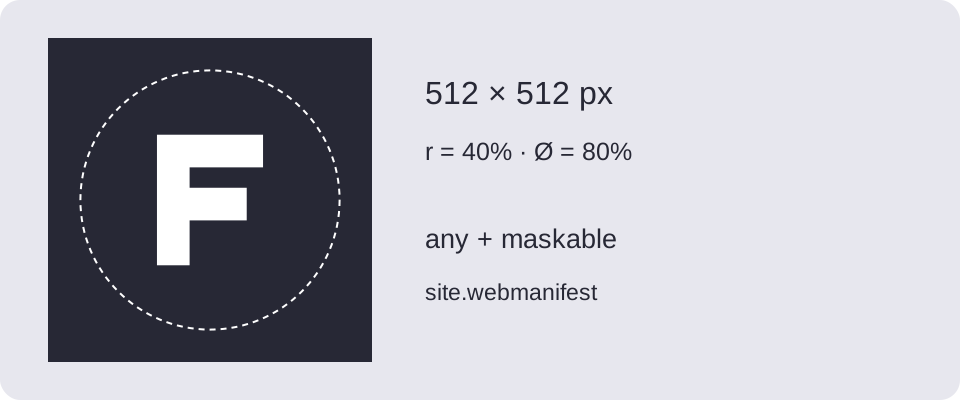
In Composition, enable Safe area circle. Use Circle diameter to set it from 20% to 100% of the icon’s shorter side; the default is 80%. Adjust the artwork’s scale and position while checking its distance from the circle.
The overlay is for preview only — it is not included in PNG or ZIP exports. Its settings are remembered in this browser but are not part of a shared project. Use the circle to judge spacing around the logo. It is neither an iOS mask nor an Apple template, and it does not round the files in AppIcon.appiconset.
Download and try it
Original examples by Fox, free to edit and use commercially. Guide diagrams are for reference; use the source SVG for export.