 Icons byFox
The developer’s field guide
How to save an icon project and edit it later
Save settings, variants and uploaded artwork in a ZIP, then restore the project in the generator.
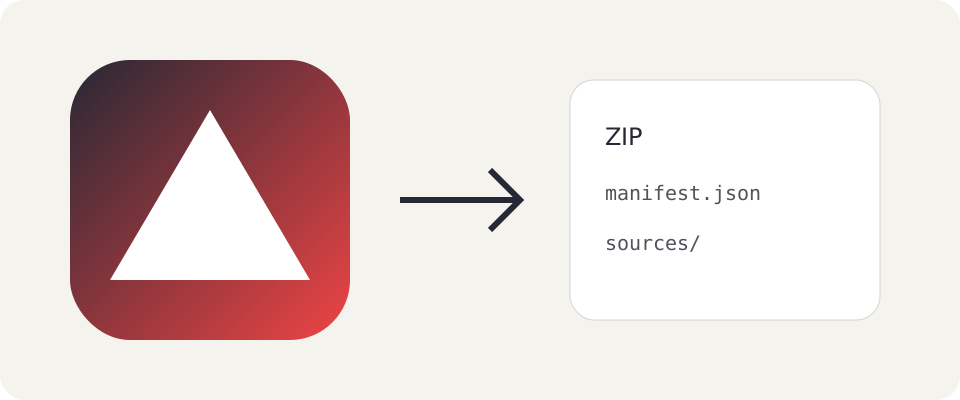
An icon project includes more than its final PNG: source artwork, colors, placement, badges and platform differences. A project archive keeps them together without an account or uploading images to a server.
Save before closing the page
In the generator, choose Save project in the header (under Menu on smaller screens) to download icons-project.zip. It includes linear and radial gradients with every color stop, the base composition, custom platform variants, format order, export filenames and preview settings. Uploaded icon artwork, backgrounds and preview wallpapers are included, even when retained in temporarily disabled variants.
If you restored settings from browser storage or a shared link, select missing images first. The generator will not save an incomplete archive. Browser storage remembers settings but does not retain uploaded images after a refresh.
Inside the ZIP
manifest.json describes the project and its data format version. sources/ contains uploads in their original form. The manifest records their names and links them to project sources; safe filenames inside the ZIP are independent of upload names.
Keep these files together and do not rename them inside the archive. A standalone PNG is a finished image; Save project preserves material for editing.
Restore a project
Choose Load project, select a saved ZIP and confirm replacing your current work. Save your current project to a separate file first if you want to keep it.
The generator validates the manifest and images before changing the project. Damaged files, exceeded limits and unsupported archive versions leave the current project unchanged. Import and export happen locally in your browser.
Icon packages can be reopened too
ZIP icon exports also include manifest.json and sources/. Select that package in Load project to return to its settings and artwork. Platform folders remain ready to copy into your application.
Shared links carry settings but do not carry images. Use a ZIP to hand over a complete project with uploaded artwork. Remember that recipients also receive included original sources and wallpapers.
Versions and backups
The application version and archive version are separate. Supported older project models receive defaults for newer options. Unsupported versions are rejected to prevent silent loss of settings; this does not promise compatibility with every future release.
Keep dated copies such as my-app-2026-10-08.zip. Clear project requires confirmation and removes the current work from the editor. It does not delete previously downloaded files from your disk.
Download and try it
Original examples by Fox, free to edit and use commercially. Guide diagrams are for reference; use the source SVG for export.